
A common concern among publishers, especially in today’s increased focus on fake news and manipulated distribution of information, is content protection. That’s why Facebook offers domain verification, a claim of domain ownership through Business Manager. By verifying your domain, you can edit posts with links that include your domain. This verification decreases the likelihood that others will use your domain to spread misinformation. The best Facebook ads agency should be able to help you with this if it seems too complicated.
Who Should Use Domain Verification?
Facebook says domain verification can be particularly helpful if you
- Have numerous Facebook pages to manage
- Use Business Manager
- Can upload HTML files to the web root directory
- Can edit DNS TXT records
- Can edit page posts that include links to your content
How to Verify Your Domain with Facebook?
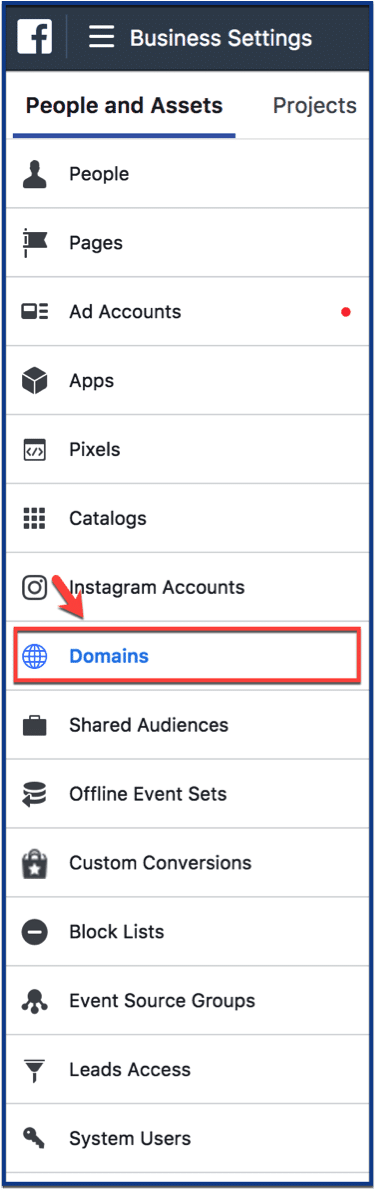
Step 1: Go to “Domains” in Business Settings
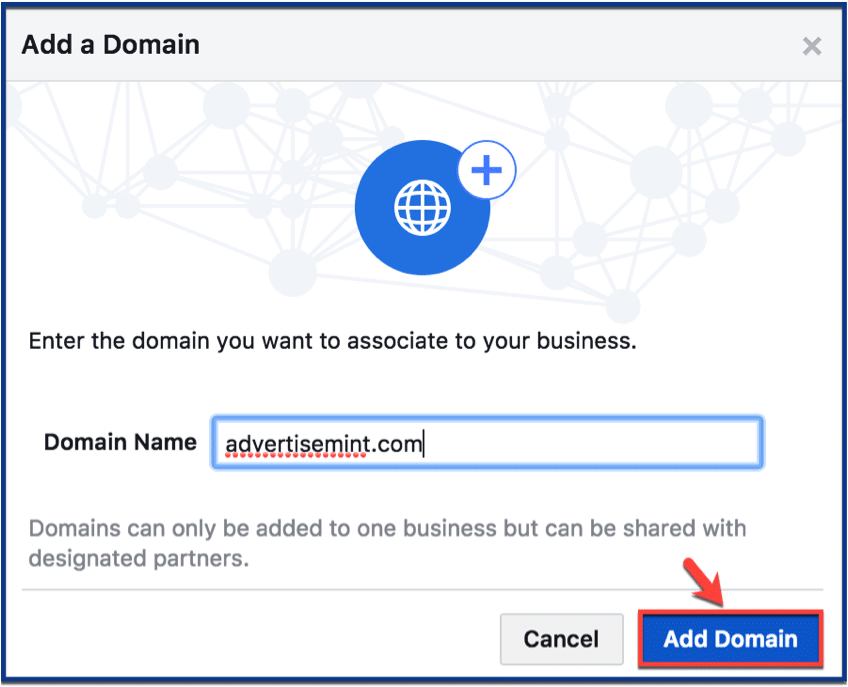
Step 2: Create a domain name
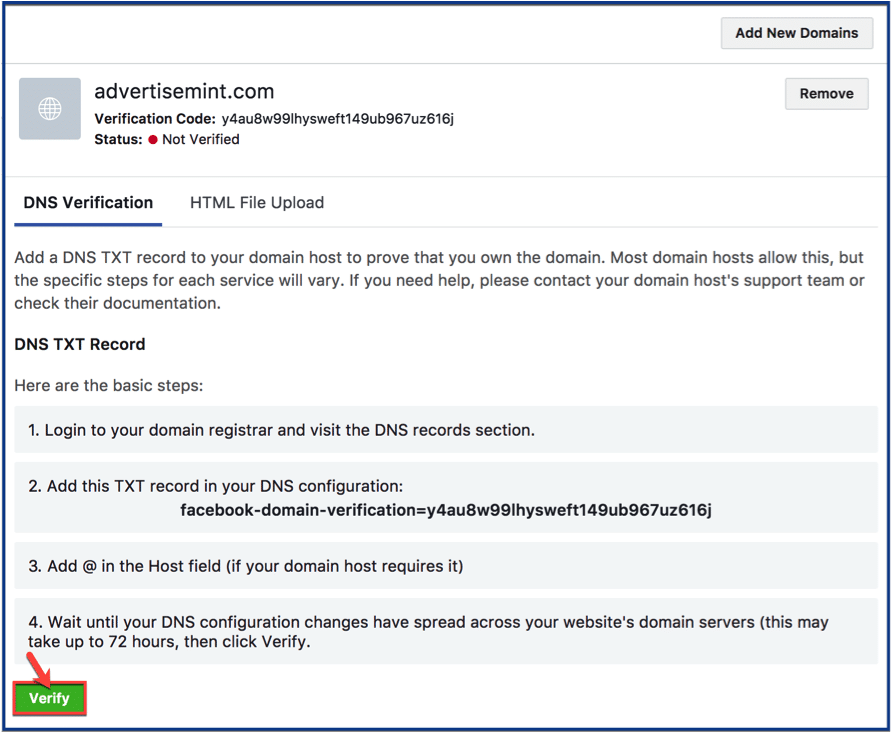
Step 3: Verify your DNS
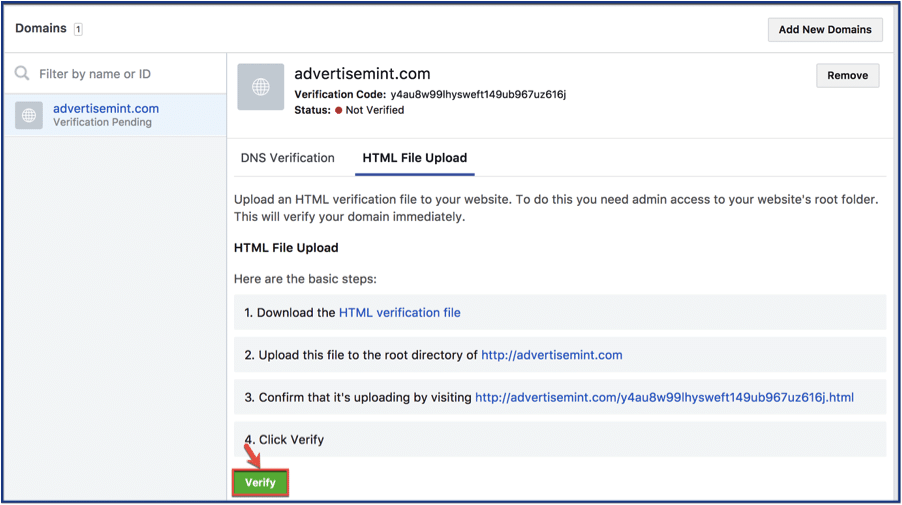
Step 4: Upload HTML verification to your website
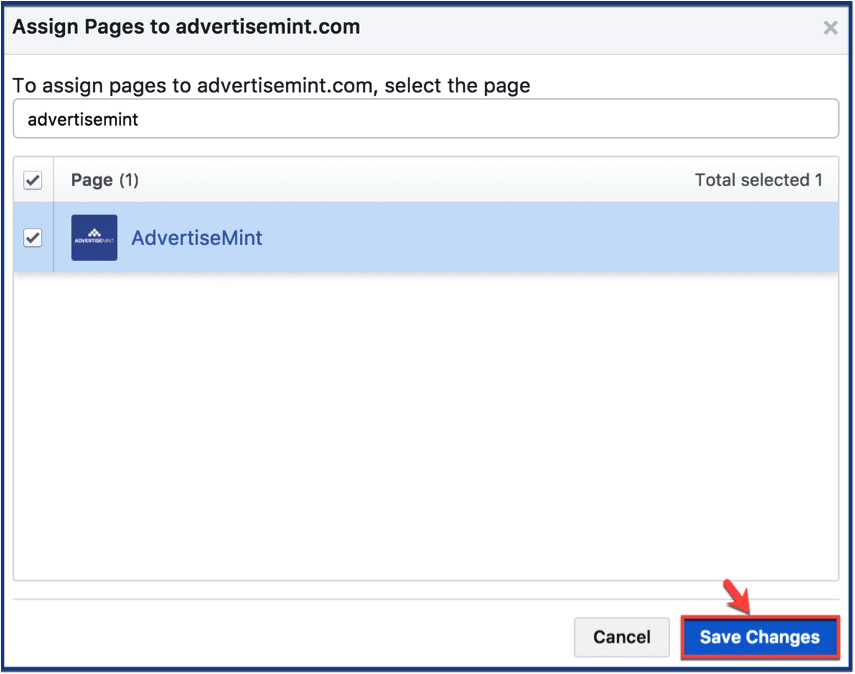
Step 5: Assign a page to your domain
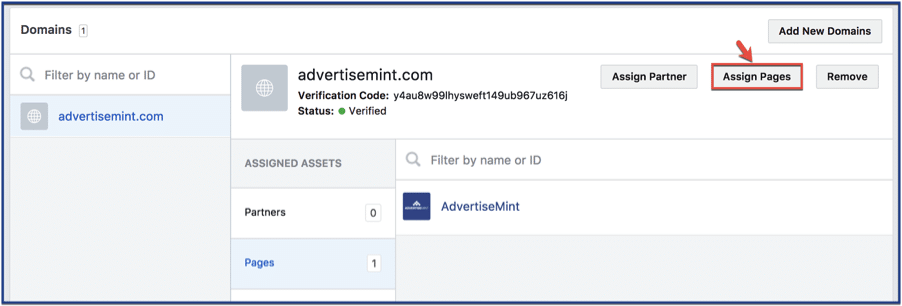
Step 6: Save changes and you’re done
Fake news is an intensified problem in today’s endless means of information distribution on social media. Take the necessary precautions to prevent your business from losing its credibility in the crossfire by using tools such as Facebook’s domain verification.

